
Technical
WordPress Maintenance Guide for Business Websites
This WordPress maintenance guide helps business leaders protect uptime, security, search visibility, and conversions with a clear weekly operating routine.
October 2026
A business website rarely fails because one major event goes wrong. More often, performance declines quietly: a plugin update creates a conflict, backup jobs stop running, forms fail without notification, or an old administrator account remains active after an employee leaves. This WordPress maintenance guide treats the website as a business system that needs clear ownership, routine checks, and a recovery plan.
For an organization that depends on its website to generate inquiries, bookings, applications, purchases, or trust, maintenance is not a technical afterthought. It protects revenue, reputation, search visibility, and the continuity of connected tools such as email, CRM, payment gateways, and analytics.
Why WordPress Maintenance Is an Operating Priority
WordPress is flexible because it combines a core platform with themes, plugins, hosting, and third-party services. That flexibility is valuable, but it also creates dependencies. A new version of a page builder may affect a custom template. A server-level PHP change may expose an outdated plugin. A marketing campaign can send traffic to a form that has been broken for weeks.
The cost of neglect depends on the website’s role. A simple brochure site may tolerate a short outage, although it can still damage credibility. An e-commerce, healthcare, education, hospitality, or real estate website has less room for error. Failed payments, unavailable booking paths, slow property listings, or inaccessible application forms become operational problems quickly.
The right model is not to update everything blindly every day. It is to establish a controlled routine that balances security, stability, and business change. Updates need testing. Backups need verification. Performance data needs context. Most of all, one person or team must be accountable for the outcome.
A WordPress Maintenance Guide Built Around Four Stages
A practical maintenance program follows the same logic as any managed business system: discover what exists, design controls around risk, make changes safely, and evolve the platform as needs change.
1. Discover the Website You Actually Operate
Before setting a schedule, create an accurate inventory. Record the WordPress version, active theme, plugins, hosting environment, domain and DNS access, SSL certificate details, forms, analytics tags, connected payment services, email delivery provider, and any custom code. Include who holds administrator access and where credentials are stored.
This step frequently reveals the real risk. A company may believe its site is managed, but discover that a former developer owns the hosting account, several plugins have no current license, or backups are stored on the same server as the website. It may also reveal duplicate plugins, unused themes, and tools collecting data without a business purpose.
Document the critical customer journeys as well. For one business, that may be submitting an inquiry form and receiving an email confirmation. For another, it may be product search, checkout, payment, order notification, and stock synchronization. Maintenance should test what matters to customers, not only whether the homepage loads.
2. Design the Right Maintenance Rhythm
Not every task belongs on the same cadence. Daily monitoring is appropriate for uptime, security alerts, backups, and high-volume commerce. Weekly work should include plugin and theme updates after review, form testing, broken-link checks, and a review of error notifications. Monthly work is better suited to deeper performance analysis, user-access reviews, database cleanup, and reporting on key site outcomes.
A stable workflow separates production from testing when the website is business-critical. A staging environment lets a team test updates and custom changes before they reach customers. This is especially useful for WooCommerce, custom integrations, multilingual sites, and complex page-builder environments.
There is a trade-off. A small, low-risk site may not justify a full staging workflow for every minor update. But even small businesses need a recent backup and a rollback procedure before meaningful changes. The more revenue, customer data, or public trust the site carries, the more disciplined the change process should become.
3. Build Security and Recovery Into Every Change
Website security is not a single plugin or an annual scan. It is a set of controls working together: current software, strong and unique passwords, multi-factor authentication, limited administrator access, secure hosting, firewall protection, malware monitoring, and reliable backups.
Start by applying the principle of least privilege. Marketing users should not automatically have administrator access. Developers may need temporary elevated permissions, while content editors generally need only the capabilities required to publish and manage pages. Remove inactive accounts and review access after staffing or vendor changes.
Backups deserve particular attention. A backup that has never been restored is an assumption, not a recovery plan. Keep copies away from the production server, define how long they are retained, and test restoration periodically. For a campaign-led website, daily backups may be sufficient. For an active store or booking platform, more frequent backups may be necessary because the gap between backups can include real customer transactions.
Security also includes operational visibility. Set alerts for downtime, expired SSL certificates, backup failures, suspicious file changes, and major performance drops. The goal is not to create more dashboards. It is to make the next decision visible before a customer reports the problem.
4. Evolve Performance, Content, and Conversion Paths
Maintenance should improve the site over time, not merely prevent failure. Core Web Vitals, mobile speed, accessibility issues, crawl errors, and conversion drop-offs should inform a prioritized improvement plan. A slow website may result from oversized media, excessive scripts, low-quality hosting, unoptimized databases, or a theme that has outgrown its original purpose. The fix depends on the cause.
Review content with the same discipline. Remove outdated team profiles, old offers, expired event pages, and unsupported claims. Check that location details, opening hours, pricing language, privacy notices, and contact channels remain accurate. For regulated or public-facing organizations, content accuracy is part of risk management.
Marketing and maintenance should also meet in the reporting layer. Track whether forms are submitted, calls are recorded where appropriate, ecommerce events are captured, and campaign landing pages are indexed and functioning. Traffic alone is not a useful maintenance metric. A business needs to know whether the site continues to support qualified demand.
What a Reliable Monthly Review Should Answer
A monthly review does not need to become a long technical report. It should give decision-makers a clear view of risk, activity, and business impact. At minimum, it should answer four questions:
- Did the website remain available, secure, and backed up?
- What changes were made, and were they tested successfully?
- Did speed, errors, or user journeys show signs of decline?
- What should be prioritized next to reduce risk or improve results?
This creates a useful distinction between maintenance and development. Fixing a vulnerable plugin is maintenance. Redesigning a conversion path, integrating a CRM, or rebuilding a slow product catalog is a development initiative. Both matter, but they should be planned, budgeted, and measured d
Common Gaps That Create Avoidable Risk
The most common issue is treating updates as an automatic task with no validation. Auto-updates can reduce exposure, but they can also introduce conflicts. They work best for low-risk components in a monitored environment, not as a substitute for testing.
Another gap is plugin accumulation. Each plugin adds functionality, but also code, update requirements, potential compatibility issues, and in some cases data-processing risk. A leaner plugin stack is usually easier to secure and support. That does not mean removing useful tools indiscriminately. It means keeping each component because it serves a documented business need.
Finally, many organizations separate website maintenance from wider IT operations. This can create blind spots around DNS, email delivery, access management, hosting, and continuity. A connected approach gives one operating partner visibility across the infrastructure that supports the customer experience.
05
Frequently Asked Questions
How often should WordPress be updated?
Security updates should be assessed promptly, while plugin, theme, and core updates should follow a regular monitored schedule. The appropriate frequency depends on site complexity and business risk, but weekly review is a sensible baseline for most business websites.
Can we maintain WordPress internally?
Yes, if the internal team has documented ownership, access to hosting and backups, a testing process, and time to respond to alerts. Many organizations use an internal owner supported by a specialized partner for security, infrastructure, development, and complex incidents.
Do we need a maintenance plan if our website is small?
Yes. A smaller site may need a lighter plan, but it still represents the business when prospects search, evaluate, and contact you. The scale of maintenance should match the risk, not the size of the homepage.
A well-maintained WordPress site gives leaders something more valuable than a clean update log: confidence that the digital front door is available, protected, and ready to support the next business decision.
A clear route through the topic.
- Why WordPress Maintenance Is an Operating Priority
- A WordPress Maintenance Guide Built Around Four Stages
- What a Reliable Monthly Review Should Answer
- Common Gaps That Create Avoidable Risk
- Frequently Asked Questions
Related thinking from ProiTs.
Dubai Website Redesign That Drives Business Growth
Plan a Dubai website redesign that improves trust, performance, lead flow, and visibility with one accountable system from discovery to ongoing growth.

How to Measure Marketing ROI Without Guesswork
Learn how to measure marketing ROI with clear costs, reliable attribution, and reporting that connects campaigns to revenue and smarter decisions today.
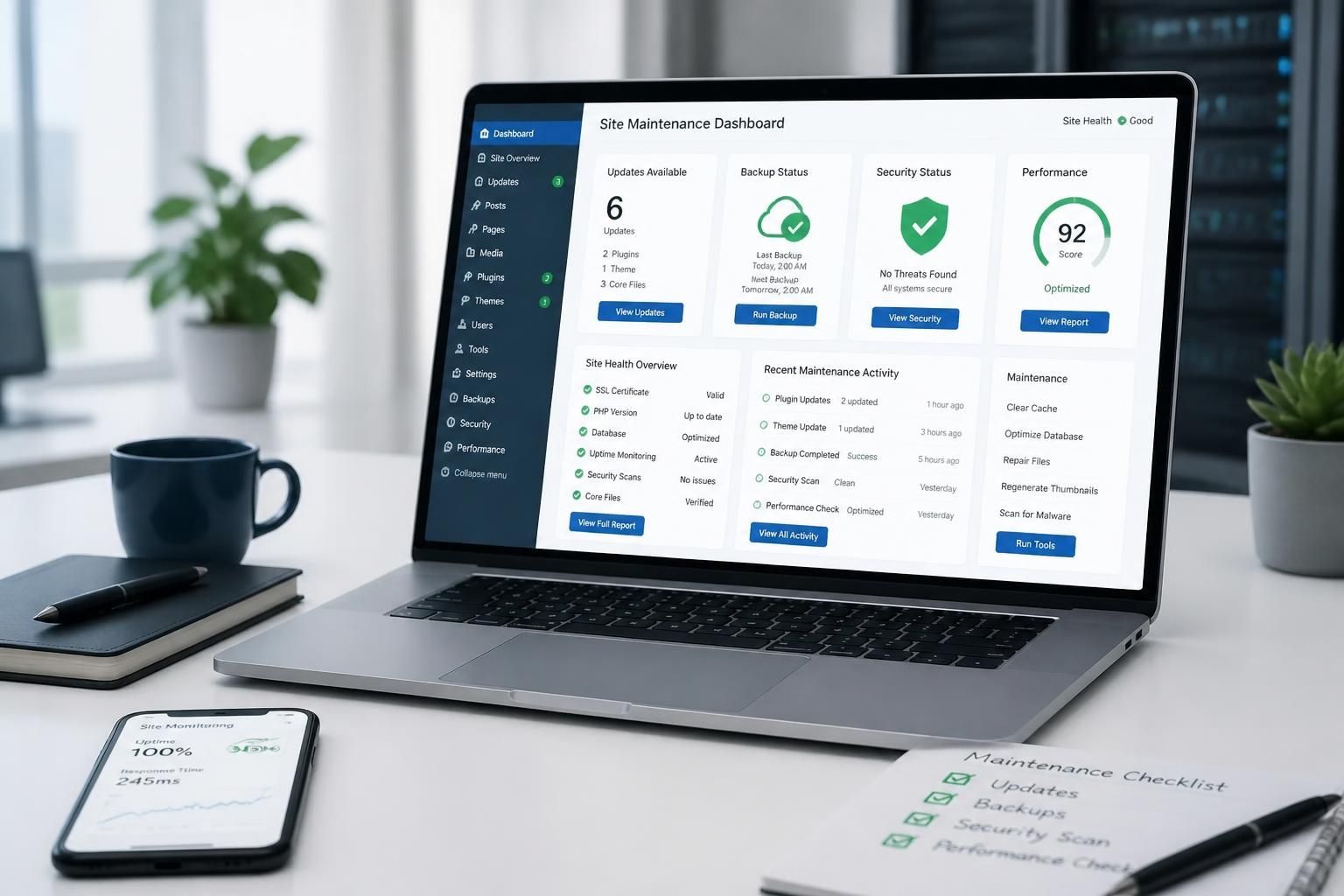
WordPress Maintenance Guide for Business Websites
This WordPress maintenance guide helps business leaders protect uptime, security, search visibility, and conversions with a clear weekly operating routine.